Church Growth, Church Websites

Why Small Churches Don't Have Websites (And Why That's Changing)
Why Small Churches Don't Have Websites (And Why That's Changing)

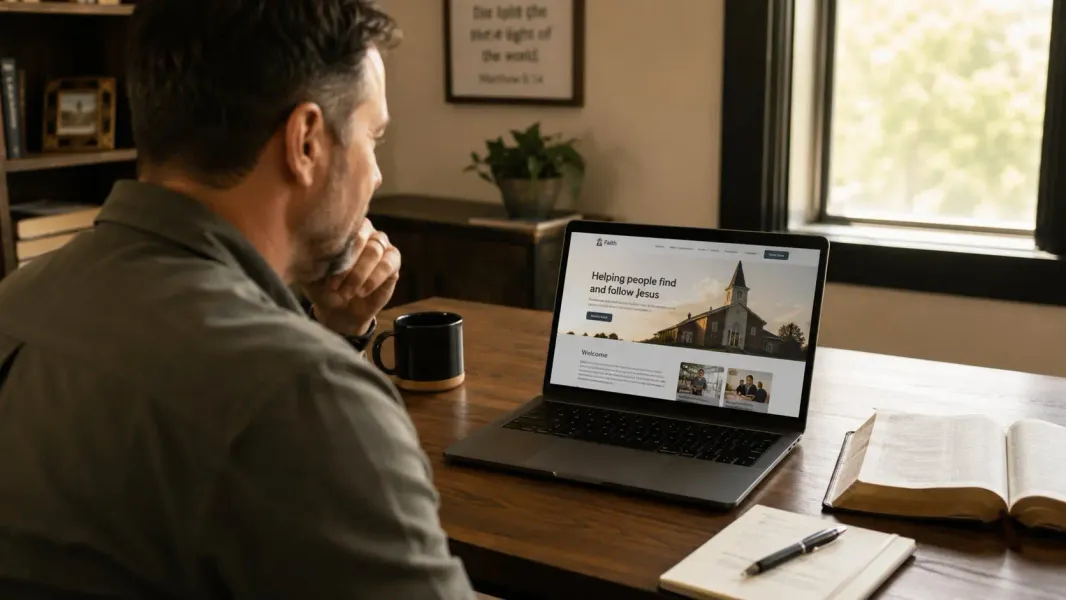
If you search for churches in almost any American city, you’ll find a consistent pattern: the large congregations dominate the results, their websites polished and up to date, while dozens of smaller churches are either nowhere to be found online or represented by an outdated page nobody has touched in years.

This is not because small churches don’t care about reaching people. The pastors running these congregations are often among the most dedicated, community-minded leaders in their cities. The gap exists for more practical, human reasons — and understanding those reasons is the first step toward closing them.

Most Small Churches Are Invisible Online — And It’s Not Their Fault

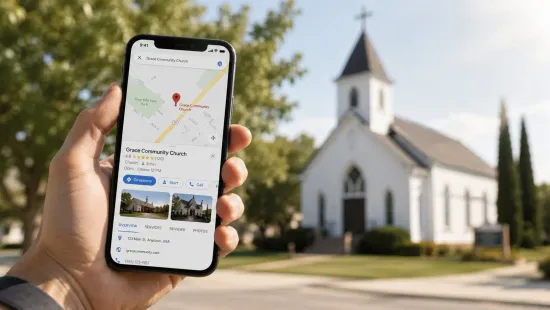
Let’s be honest about what “invisible online” actually means. It means that when someone new to your city searches for a church on Sunday morning, your congregation simply does not appear. They don’t visit and decide it’s not for them. They don’t compare you to another church across town. They never know you exist.

For churches doing real ministry — running food pantries, supporting families in crisis, building genuine community — that invisibility is a genuine loss. Not just for the church’s growth, but for the people who would have found a home there if they’d only known to look.

The question is why this gap persists. The answer comes down to three recurring barriers.

The Three Real Barriers

1. Nobody in the Congregation Knows How to Build One

This is the most common story. A church wants a website, but nobody on staff or in the volunteer base has the technical background to build one. Maybe there’s someone who uses computers confidently, but building and maintaining a website is a different skill set entirely.

Even with platforms like Wix or Squarespace designed to make website building accessible, the reality is that designing something that looks professional, functions correctly on mobile, loads fast, and stays maintained is not something most people pick up quickly. And even if someone manages to build a decent site, the question of who maintains it going forward remains.

Smaller congregations don’t have communications directors or digital staff. The pastor is often handling responsibilities that go well beyond preaching. The idea of adding “figure out the website” to that list is genuinely daunting.

2. The Cost Felt Out of Reach

Churches run on the generosity of their congregations, and for smaller churches, budgets are tight. When pastors have researched website options in the past, they’ve often encountered quotes that put a basic website out of reach.

A professional web agency might quote $3,000 to $5,000 for design and build, plus ongoing monthly fees. A freelancer might ask for $1,500 upfront with no clear plan for what happens when something needs to change. These numbers make sense in a business context, but they don’t fit the financial reality of a congregation with 60 members in a rented space.

The result is that the website gets put off. “Maybe next year” becomes a refrain that stretches across five years while the congregation stays invisible online.

3. Someone Tried Once and It Never Got Finished

This might be the most frustrating version of the story. A well-meaning volunteer — maybe a college student, maybe someone who works in IT — offered to build the church website. They got started, made good progress, and then life changed. They moved. They got a new job. They had kids. The site was left at 70% complete, or it was finished but never updated, and now it sits there showing service times from three years ago and a “Coming Soon” events page that never got filled in.

A half-finished or severely outdated website can actually be worse than no website at all. It signals to potential visitors that the church is inactive or disorganized, which is the opposite of the impression you want to make.

What Happens When a Church Has No Website

The consequences of being invisible online are easy to underestimate because they’re invisible too. You don’t see the family that searched for churches last Sunday and didn’t find you. You don’t know about the person going through a hard season who Googled “church near me” from a gas station parking lot and never found your address.

Young families moving to a new city often narrow their church search entirely based on online presence. If your church doesn’t have a website, it simply doesn’t make the consideration list — regardless of how good the community is.

For congregations hoping to reach people under 40, this is not a minor issue. It’s structural. The pathway that the next generation uses to find a church home runs directly through a Google search and a website visit before it ever reaches a Sunday morning.

Why This Is Starting to Change

Two things have shifted that are making it easier than ever for small churches to establish a real online presence.

The first is the availability of purpose-built services that handle everything — design, hosting, maintenance, updates — for a predictable monthly cost. Rather than forcing churches to navigate the technical complexity on their own or pay agency prices, these services lower the floor substantially. A professional, well-maintained church website is now accessible for roughly the cost of a streaming service subscription.

The second shift is cultural. The conversation about digital presence in ministry has matured. More pastors are recognizing that a website isn’t just a nice-to-have — it’s a basic expectation from anyone who might be looking for a church home. The question has shifted from “should we have a website?” to “why don’t we have one yet?”

What a Small Church Website Actually Needs to Do

Here’s something that often surprises pastors: a great small church website doesn’t need to be complicated. It doesn’t need a sermon archive, a member portal, a full calendar system, or a donation platform on day one.

It needs to do five things well:

  1. Tell people who you are and what you believe
  2. Display your service times clearly
  3. Show your location with easy-to-find directions
  4. Give a sense of what to expect for a first-time visitor
  5. Make it easy to get in touch

That’s it. A clean, professional website that does those five things will serve your congregation far better than a complex site that nobody maintains. Simplicity, done well, is the goal.

You Don’t Need a Big Budget or a Tech Team

The old barrier was that building a good website required either a significant budget, significant technical skill, or both. That barrier is largely gone.

What hasn’t changed is that the website needs to be built well, kept up to date, and maintained on an ongoing basis. The technical side doesn’t disappear just because a site gets built — it just needs to be handled by someone. The question is who.

For most small churches, the smartest answer is to find a service that handles all of it for a single, predictable monthly cost. No freelancers to track down when something breaks. No figuring out hosting platforms or SSL certificates. No volunteer burnout from being the unofficial church IT department.

What The 1615 Project Does Differently

The 1615 Project exists specifically for small and mid-size congregations. We built our service to address exactly the barriers described above — the cost uncertainty, the technical complexity, and the maintenance problem that leaves so many church websites stranded.

For $97 a month, we build your church’s website, host it on fast and secure servers, handle all updates and maintenance, and keep it backed up and running smoothly. No setup fees. No long-term contracts. Most churches are live within two weeks.

It’s not a complicated offer, and that’s intentional. Ministry is complicated enough.

If your church is one of the thousands of small congregations that are currently invisible online, take a look at what’s included in our package or book a free 15-minute call. We’ll answer your questions and tell you honestly whether we’re a good fit for your situation.

Your church is doing real work in your community. Let’s make sure people can find you.
Read Other Articles

How to Get Your Church Found on Google: A Practical Guide for Pastors
  • Church Growth

    Church Websites

  • 14 May, 2026

How to Get Your Church Found on Google: A Practical Guide for Pastors

Every week, people in your city are typing things like "church near me," "Baptist church [your city]," or "Sunday church services" into Google. If your church doesn't show up in those results, those people will never find you — no matter how good your preaching is or how welcoming your congregation is. Getting found on Google is not about gaming the system or learning complicated technical strategies. For a local church, it mostly comes down to a few fundamentals done consistently. This guide covers exactly what you need to know, without the jargon. Why Most Churches Don't Show Up on Google Before we talk about solutions, it helps to understand why the problem exists. Google's job is to show people the most relevant, trustworthy result for whatever they're searching for. When someone searches "church in [your city]," Google looks at several signals to decide which churches to show — and in what order. If your church has no website, Google has almost nothing to work with. If you have a website but it's outdated, poorly structured, or missing key information, that's nearly as bad. And if you haven't claimed your free Google Business Profile, you're invisible to an entire category of local search results. The good news is that fixing these things doesn't require an advanced degree in marketing. It just requires doing a few specific things right. Step 1: Claim and Optimize Your Google Business Profile This is the single highest-impact thing you can do for local visibility, and it's completely free. Your Google Business Profile (formerly Google My Business) is what powers the map results and the information panel that appears when someone searches for your church by name or searches for churches near them. If you haven't claimed yours yet, go to business.google.com and set it up. Once your profile is claimed, make sure the following are accurate and complete:Church name — Use your actual church name, not a keyword-stuffed version Address — Make sure it's correct and matches what's on your website Phone number — Current and answered during office hours Website URL — Link to your church website Service hours — List your regular Sunday service times Description — A few sentences about who you are and who you serve Photos — Add real photos of your building exterior, interior, and congregation (with permission)The description is worth writing carefully. Include your city and neighborhood naturally, mention your denomination or worship style if it helps people self-select, and write it for the person who's never heard of you. Step 2: Make Sure Your Website Has the Right Information Your website and your Google Business Profile work together. Google looks for consistency between the two, and so do the people who find you. At minimum, your website needs to clearly display:Your church's full name Your physical address Your service times A phone number or contact formThese should be easy to find — not buried in a footer no one scrolls to, but visible and prominent. If someone lands on your homepage and can't find your address within ten seconds, that's a problem both for visitors and for how Google evaluates your site. Beyond the basics, your website should include content that uses natural, location-specific language. Mentioning your city, neighborhood, and the areas you serve throughout your site helps Google understand where you're located and who you're relevant to. Step 3: Get Listed in Local Directories Beyond Google, there are other online directories that help establish your church's presence and credibility online. The most important ones:Apple Maps — Significant if your congregation uses iPhones Bing Places — Microsoft's equivalent of Google Business Profile Yelp — People actually search for churches here Facebook — Keep your address and hours current Church-specific directories like ChurchFinder or local denominational listingsThe key is consistency. Your church name, address, and phone number should be identical across every listing. Even small differences — "St." versus "Street," a suite number listed differently — can confuse search engines and weaken your overall presence. Step 4: Ask Members to Leave Google Reviews Google reviews are one of the signals Google uses to rank local businesses and organizations. A church with 20 genuine reviews will generally rank better than a church with no reviews, all else being equal. More importantly, reviews are one of the first things a searching family will look at when evaluating your church. A few genuine reviews from members describing what makes your church community special can be more persuasive than anything on your website. Ask your engaged members to leave a Google review. Keep it simple — "Would you be willing to share a quick Google review about your experience at our church? It helps families in [city] find us." Most people are happy to help when asked directly. Don't manufacture reviews, don't offer incentives, and don't ask people to post reviews from the same location at the same time. Keep it genuine and spread out naturally. Step 5: Create Content That Answers Questions People Search For This is where a church blog becomes a real strategic asset. People in your city are searching for answers to questions like:"Does my church need a website?" "What to expect at church for the first time" "Churches with kids programs in [city]" "Is [your denomination] right for me?"If your website has content that answers these questions well, Google may surface your site to people searching for them. Over time, this kind of content builds what SEO professionals call "topical authority" — Google's confidence that your site is a credible source on church-related topics in your area. You don't need to publish every week. Even one or two well-written posts per month, focused on questions your community actually asks, will build meaningful search visibility over time. What "Near Me" Searches Mean for Your Church When someone types "church near me" into Google, the results they see are determined by their location at the time of the search. This is entirely driven by your Google Business Profile and your website's local signals — not by anything you can control in the moment. This means the work you do upfront — claiming your profile, keeping it updated, building a credible website with location-specific content — pays dividends every single week as people search from their phones near your building. Common Mistakes That Hurt Church Search Rankings A few things worth avoiding: Neglecting your website. An outdated site with wrong service times or broken links signals to Google — and to visitors — that your church may not be active. Search engines favor sites that are maintained and regularly updated. Keyword stuffing. Don't try to game the system by loading your pages with repetitive phrases like "best church in [city] church services [city] Sunday church." It reads poorly to visitors and Google penalizes it. Ignoring mobile users. More than half of local searches happen on phones. If your site doesn't work well on mobile, you're losing both visitors and search ranking. Not responding to reviews. When someone leaves a Google review — positive or negative — responding shows that your church is engaged and cares about its community. It also signals to Google that your profile is actively managed. Setting it and forgetting it. Local SEO is not a one-time task. Your Google Business Profile needs to stay current. Your website needs to stay maintained. Reviews need to accumulate over time. It's a long game, but a manageable one. You Don't Need to Be an SEO Expert None of this requires deep technical knowledge. The fundamentals of local church SEO come down to: claim your Google presence, build a good website with clear information, get listed in the right directories, collect genuine reviews, and create occasional content that answers real questions. That's it. If you do those things consistently, your church will show up when people in your city are looking for a church home. The hardest part for most pastors is the website itself — building something professional, keeping it up to date, and making sure it's technically sound. That's exactly what The 1615 Project handles. See what's included in our package and book a free call if you'd like to talk through where your church stands right now.

read more
How Much Does a Church Website Cost? A Honest Breakdown
  • Church Websites

  • 14 May, 2026

How Much Does a Church Website Cost? A Honest Breakdown

One of the first questions pastors ask when they start thinking about a church website is some version of "what is this going to cost us?" It's a fair question, and the answer depends almost entirely on how you choose to build and maintain it. The range is surprisingly wide. A church website can cost anywhere from almost nothing to several thousand dollars — and the price doesn't always reflect the quality or the ongoing value you get. This post breaks down every real option so you can make a clear-headed decision. Option 1: DIY Website Builders (Wix, Squarespace, GoDaddy) The most affordable entry point for a church website is building it yourself on a platform like Wix, Squarespace, or GoDaddy. These tools are designed for people without technical backgrounds, and they can produce a decent-looking site if you invest the time. Typical cost: $15 to $45 per month for a paid plan, plus a domain name ($10 to $20 per year) What you get: A drag-and-drop editor, basic hosting, access to templates The real catch: Someone in your church has to build it, keep it updated, and troubleshoot it when things break. If that person moves away, changes jobs, or simply gets too busy, the site stagnates. We've talked to dozens of pastors who had a volunteer build a Wix site two or three years ago that now shows the wrong service times or outdated event information. That kind of neglect actually hurts more than having no website at all. There's also the design quality to consider. The free or low-cost templates often look generic, and without someone who knows what they're doing aesthetically, church websites built on DIY platforms frequently end up looking like every other church website from 2014. Option 2: Hiring a Freelancer If you want a custom-designed website built by a professional, hiring a freelancer is a common route. Platforms like Upwork, Fiverr, or local referrals are how most churches find someone. Typical cost: $500 to $3,000+ upfront for the build, plus $20 to $100 per month for hosting, plus hourly rates for any updates What you get: A custom design built to your specs, a professional who knows what they're doing technically The real catch: The relationship ends when the project ends. Once the site is built and handed off, you're largely on your own. Updates require going back to the freelancer and paying their hourly rate, which can be $50 to $150 per hour. Simple things like adding an event, changing a photo, or updating the sermon series banner become mini-projects you have to schedule and pay for. Freelancers also move on. They take new clients, change careers, or simply become harder to reach. Many churches that paid a freelancer $1,500 to $2,000 for a website are now stuck with something they can't maintain themselves and can't find help for easily. Option 3: Working With a Web Agency Full-service web agencies offer the most polished result, but they're priced for businesses with marketing budgets — not small congregations. Typical cost: $3,000 to $10,000+ for design and build, plus monthly retainers of $200 to $500 for maintenance and hosting What you get: Professional design, project management, ongoing support, usually a team rather than a single person The real catch: The price. Most churches running on tithes and donations simply cannot justify this kind of spend on a website, especially when a well-built, simpler site can accomplish the same ministry goals at a fraction of the cost. Agencies are a reasonable option for large churches with dedicated communications staff and real marketing budgets. For a congregation of 50 to 300 members, it's almost always overkill. Option 4: All-Inclusive Church Website Services There's a category of service that sits between DIY and agency — purpose-built solutions designed specifically for churches that handle everything for one flat monthly rate. Typical cost: $50 to $150 per month, all-inclusive What you get: Professional design, hosting, ongoing maintenance, and updates all bundled together. No upfront build cost, no separate hosting fees, no surprise invoices when something needs to change. This is what The 1615 Project offers. For $97 a month, you get a professionally built 5-page website, fast and secure hosting, regular updates, monthly backups, SSL security, and mobile optimization — all handled. The site goes live within roughly two weeks, and you never have to think about the technical side again. The Hidden Costs Most Churches Don't Think About Whatever option you choose, there are a few costs that people often overlook when budgeting for a church website: Domain registration: $10 to $20 per year. Usually not included in basic plans. SSL certificate: Keeps your site secure (the padlock icon in the browser). Reputable hosts include this, but some older or cheaper hosting setups charge separately. Backup and recovery: If your site gets hacked or the hosting company has a problem, how do you restore it? Regular automated backups are non-negotiable and not always included. Image and content updates: Any time your service times change, a new pastor joins the team, or you want to update photos, someone has to do that work. If you're on a DIY platform or freelancer-built site, that's either your time or your money. Plugin and software updates: WordPress sites in particular require regular updates to stay secure. Neglected WordPress sites are one of the most common ways church websites get hacked. When you add all of this up, a site that looks cheap on the surface often ends up costing more in time, stress, and actual dollars than a simple all-inclusive service. What $97 a Month Actually Gets You To put the numbers in perspective, $97 a month is:Less than most web agencies charge for a single hour of work About the same as a mid-tier Squarespace plan, but with a professional doing the design and maintenance for you Far less than the $1,500 to $3,000 most freelancers charge upfront, with no maintenance includedWith The 1615 Project, that $97 covers your entire online presence — design, hosting, security, backups, and ongoing updates. No setup fee. No long-term contract. No call center. The Bottom Line The right investment for your church depends on your situation. If you have a tech-savvy volunteer who loves doing this kind of work and has time to maintain it, a DIY solution can work. If you have a large budget and want a highly custom result, an agency might make sense. For most small and mid-size churches, the smartest move is an all-inclusive service that handles everything for a predictable monthly cost. You get a professional result without the upfront investment, the ongoing technical headaches, or the risk of your website slowly rotting over time. Your time is better spent on ministry. See what's included in our church website package and book a free call if you want to talk through what makes sense for your congregation.

read more
Does My Church Need a Website? Here's the Honest Answer
  • Church Websites

  • 14 May, 2026

Does My Church Need a Website? Here's the Honest Answer

If you've asked yourself whether your church actually needs a website, you're not alone. Plenty of pastors running healthy, growing congregations have gotten by for years without one. You have word of mouth. You have Facebook. You have people who bring people. So why does a website matter? The honest answer is that it matters more than it used to — and for reasons that go beyond just looking professional online. People Search for Churches Before They Ever Show Up This is the part most pastors don't fully account for. Before a new family walks through your doors, there's a very good chance they searched online first. They might have typed "church near me," "Baptist church in [city]," or even just your church's name directly. If you don't have a website, here's what they find: nothing. Or worse, outdated information from a third-party listing that gets the service times wrong. According to research on how people find local businesses and organizations, the majority of consumers — including people looking for a church home — check online before visiting in person. For younger families especially, no website is often a dealbreaker. It signals that the church may not be active or welcoming to newcomers. That first impression happens before you ever get a chance to shake someone's hand. Your Facebook Page Is Not a Website This comes up a lot. "We have Facebook, isn't that enough?" It's not, and here's why. Facebook is rented space. You don't own it, you don't control what appears alongside your content, and the algorithm decides who actually sees what you post. Someone visiting your Facebook page might see your last event from three months ago, or they might not find your address and service times easily because Facebook buries that information in the "About" section. A website gives you a home base that you own and control. Your service times are front and center. Your address links directly to Google Maps. New visitors can find out what to expect before they arrive. Nobody is competing for attention on your page. Facebook is a great tool for reaching people who are already connected to your church. Your website is for everyone else — especially people who are new to your city or actively looking for a church home. What First-Time Visitors Actually Want to Know Put yourself in the shoes of someone new to the area who is looking for a church. They have a few basic questions they want answered before they commit to showing up:What time are services? Where exactly is the building? What is the worship style like? Is there anything for my kids? Who is the pastor?A good church website answers all of these questions clearly and quickly. If someone has to call to find out your service times, most of them won't. They'll just look at the next church on the list. A website removes that barrier entirely. The person gets their questions answered at 10pm on a Tuesday, decides your church sounds like a good fit, and shows up Sunday morning. That is a real conversion that would not have happened without a website. A Website Works Around the Clock Your church office has hours. Your phone goes to voicemail. Your pastor has a full schedule. Your website never sleeps. Someone moving to your city next month might be researching churches right now at midnight. A young couple church-shopping might look at five churches on a Sunday afternoon while you're still setting up for the evening service. A person going through a hard time might reach out through your contact form at 2am because they needed to do something that felt like a step forward. A website handles all of that without any effort from you. It is, in the most practical sense, a ministry tool that works when you can't. Younger Families Expect It This isn't a criticism — it's just reality. Families in their 20s and 30s with young children have grown up with the internet. They Google everything. When they move to a new city and start looking for a church, they assume every church worth considering has a website. If your congregation wants to reach younger families — and most do — a website is table stakes. It doesn't have to be fancy. It just has to exist and have the right information. It Builds Credibility Before You've Said a Word There's a psychological dynamic at play when someone finds a professional-looking church website. It communicates that this congregation takes what it does seriously. It signals organization, care, and that the church is actively welcoming to new people. A website doesn't replace genuine community, great preaching, or faithful ministry. But it can be the thing that gets someone in the door in the first place — and that matters. Addressing the Most Common Objections "We're too small for a website." There's no congregation size at which a website stops making sense. If your church has 30 people and you want 60, a website helps. If you have 100 and want 150, same answer. Size is not the threshold. The question is whether you want new people to be able to find you — and the answer to that is almost always yes. "Nobody in our congregation knows how to build one." You don't have to know how to build one. That's what services like The 1615 Project exist for. A complete, professionally built website for $97 a month means you never have to think about the technical side. "We tried once and it never got finished or maintained." This is one of the most common stories we hear. Someone in the congregation volunteered to build the site, did a solid job getting it started, and then life got busy and it sat there for two years with outdated information. The solution isn't to try again with a volunteer — it's to work with a service that handles ongoing maintenance as part of the deal. What a Church Website Actually Needs to Do A church website doesn't need to be complicated. It doesn't need a dozen pages, an online store, or a sermon podcast (though that can be added later). At minimum, a good church website needs to do four things:Tell people who you are and what you believe Make it easy to find your location and service times Give new visitors a sense of what to expect Provide a way to get in touchThat's it. Simple, functional, and well-maintained is far better than complex and outdated. The Bottom Line Does your church need a website? Yes — but not because websites are impressive or because technology demands it. You need one because real people in your city are searching for a church right now, and if they can't find you online, they'll find someone else. Your church has a story worth telling. A website makes sure people can find it. If you're ready to get your church online without the tech headaches or the high cost, take a look at what The 1615 Project offers. One flat monthly rate covers everything — design, hosting, updates, and maintenance — so you can stay focused on ministry.

read more
What Should a Church Website Include? The Essential Pages and Elements
  • Church Websites

  • 14 May, 2026

What Should a Church Website Include? The Essential Pages and Elements

One of the questions we get most often from pastors is some version of "what does our website actually need to have?" There's a temptation to either overthink it — building out ten pages of content before anyone visits the site — or underthink it, putting up a single page with an address and calling it done. Neither approach serves your congregation or the people you're trying to reach. This guide covers exactly what a church website should include, what it should do on each page, and what you can safely skip — especially when you're just getting started. Start With One Clear Goal: Help New Visitors Decide to Show Up Before we talk about specific pages, it helps to understand what a church website is actually for. Unlike an e-commerce site that sells products or a news site that hosts content, a church website has one primary job: help someone who doesn't know you decide that your church is worth visiting. Everything on your site should serve that goal. If a page or section doesn't help a potential visitor understand who you are, what to expect, or how to find you, it's probably not essential — at least not yet. With that in mind, here are the essential elements every church website needs. 1. A Homepage That Answers "What Is This Church?" Your homepage is almost always the first page a visitor sees. It needs to answer three questions in the first few seconds:Who are you? What kind of church is this? Is this a place for me?That means a clear name and tagline, a photo or image that gives a feel for your congregation, your service times displayed prominently, and a simple statement about your church's identity. You don't need a wall of text. A headline, two or three sentences about your church, and a clear call to action ("Plan Your Visit" or "Join Us This Sunday") goes a long way. What most churches get wrong on their homepage is either making it too generic ("A welcoming community of faith") or too dense (three paragraphs of history before you even see a photo). Think of it like a handshake — warm, clear, and confident. 2. Service Times and Location (Make It Impossible to Miss) This sounds obvious, but you'd be surprised how many church websites bury the most important information. Your address, service times, and a link to Google Maps directions should be easy to find from any page on your site — not just the homepage. A visitor looking for your service times should never have to search more than one click. If they have to dig through menus or scroll through a long page to find out when you meet, some of them will give up. Best practice: put service times and address in the footer of every page, and make them prominent on the homepage. If you have multiple campuses or services, list them all clearly with locations. 3. A "New Here" or "Plan Your Visit" Page This is the page that does the most work for first-time visitors, and it's the one most church websites skip. A dedicated "New Here" page answers all the questions a newcomer might feel too awkward to ask:What should I wear? Where do I park? What happens during the service? How long does the service run? Is there childcare or children's programming? Will anyone pressure me to do anything?Think about the anxiety that can come with walking into a room full of strangers who all seem to know each other. Your "Plan Your Visit" page is the thing that reduces that anxiety before they even arrive. It communicates that you've thought about their experience, you're expecting them, and you want them to feel comfortable. This page doesn't need to be long. A few paragraphs, a photo of your building exterior so they can recognize it, and honest answers to the questions above will do the job. 4. About Your Pastor and Leadership People want to know who leads a church before they commit to showing up. A brief bio of your pastor — a photo, their name, a paragraph or two about their background and heart for ministry — goes a long way toward making your church feel like a real community rather than an anonymous organization. If you have additional staff or elders you want to highlight, this is the place for it. Keep it human. A casual, genuine bio reads better than a formal résumé. People aren't evaluating credentials — they're deciding whether this person seems like someone they'd want to learn from. 5. An Events or What's Coming Up Page If your church has regular events — small groups, outreach programs, special services — a simple events page or calendar keeps visitors and members informed. It also signals that your church is active and engaged, which matters to someone who is evaluating whether your congregation is alive and thriving. You don't need a complicated events system. Even a simple list with dates, brief descriptions, and any relevant details is better than nothing. The key is keeping it current. An events page showing things from six months ago actually hurts more than it helps, so only include this if someone can keep it reasonably up to date. 6. A Contact Page With a Real Form Your contact page needs to make it easy for someone to get in touch. That means a form they can fill out — not just an email address they have to copy and paste into their own email app. Include your phone number if you're comfortable with it, your mailing or physical address, and a simple form asking for name, email, and message. If you want to make it slightly more useful, add a field asking what they'd like help with (general questions, prayer request, membership information, etc.). The follow-up is on you. If someone submits a contact form and doesn't hear back within a day or two, that's a missed connection. Set up email notifications so form submissions don't get lost. 7. Online Giving (Optional but Worth Considering) Not every small church is ready to add online giving right away, and that's fine. But if your congregation would benefit from it, integrating a giving link on your website is straightforward and can meaningfully increase consistent generosity — especially from younger members who rarely carry cash or checks. Services like Tithe.ly, Pushpay, or even a simple PayPal or Venmo link can work depending on your setup. You don't need a complex system to get started. What Your Church Website Does NOT Need (Right Away) It's worth being clear about what you can skip, especially when you're just getting started:A blog or news section unless you're committed to posting regularly. An empty blog with one post from two years ago is worse than no blog. A full sermon archive unless it's well-organized. A few recent sermons is fine; a disorganized library is distracting. A detailed history page. Most first-time visitors don't need to know your church was founded in 1987. Save the history for after someone visits. A members-only portal. This adds complexity you likely don't need early on.The Technical Side: What Makes a Church Website Work Well Beyond the content, there are a few technical elements that matter for both user experience and how Google treats your site: Mobile responsiveness: Most people will view your website on a phone. If your site looks broken or awkward on mobile, that's a bad first impression. Every page should be readable and navigable on a small screen. Page speed: Slow sites drive people away. Your hosting and how images are handled affect this significantly. SSL certificate: The padlock icon in the browser address bar. This keeps your site secure and is now essentially required — Google flags sites without it. Basic SEO: Your page titles, descriptions, and the way your content is organized affects whether you show up in local searches. Even basic on-page SEO makes a real difference for a local church. How The 1615 Project Builds Church Websites Our standard package includes a professionally designed 5-page website that covers every essential element: a homepage, about page, service information, contact page, and a new visitor page. It's built to be fast, mobile-friendly, and secure — and we handle all maintenance and updates on an ongoing basis for one flat monthly rate. If you're ready to get your church online without the headaches, take a look at what's included or book a free 15-minute call. We'll answer your questions and let you know exactly what to expect.

read more

Simple. Affordable. Done For You.

You focus on ministry. We handle your website, hosting, and maintenance every month.

Churches We Serve

Small and mid-size congregations
across the United States

Badge
Badge
Badge

  • All inclusive monthly
  • Hosting + maintenance
  • included